
NVA-IMP/EXP
Data Conversion, Visualization & Compatibility Module
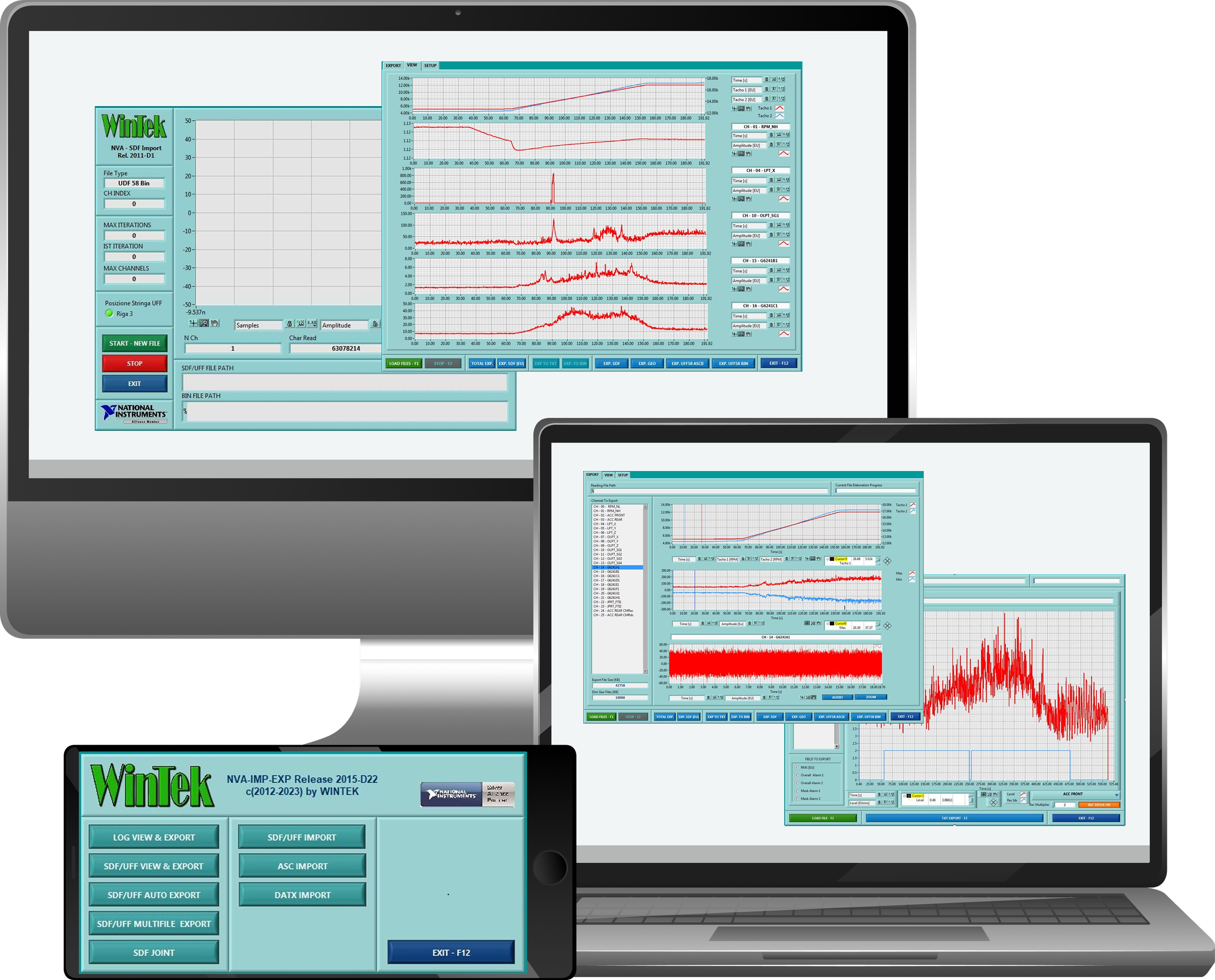
The NVA-IMP/EXP module is WinTek’s dedicated solution for managing acquisition data, converting between industry-standard formats, and providing immediate visualization of signals recorded by NVA/NVT systems.
It acts as the bridge between acquisition, analysis, and long-term archiving—ensuring maximum interoperability, quick verification, and full compatibility across all WinTek suites.
-
NVA-IMP/EXP has been designed to address three primary needs:
Immediate visualization of recently acquired or recorded data
Export of signals to the most common industry-standard formats (UFF58, SDF, CSV, BIN, TXT)
Import and conversion of external files into the .bin format used across the WinTek NVA ecosystem
The module supports manual, semi-automatic, and fully automated workflows, making it suitable both for quick checks and large-scale test campaigns.
-
Export
UFF58 Bin / UFF58 ASCII
SDF (Engineering Units or Volt)
CSV / TXT
Selective BIN export (specific channels or time selections)
Import
SDF
UFF58 Bin / UFF58 ASCII
Direct conversion → WinTek BIN format
-
1. LOG File Visualization & Export
Load and display LOG files generated by acquisition systems
Visualize Overall values, alarm states, and channel trends over time
Export selected channels and metrics to CSV
Highlight intervals where associated raw signals were recorded
2. RAW Signal Viewing & Export
Load BIN files for detailed inspection
Adjust offset, sensitivity, and decimation parameters
View tachometric signals and engineering units simultaneously
Select specific time intervals for detailed zoom and playback
Audio playback of any selected signal segment
Export options include:
SDF
UFF58 ASCII / UFF58 Bin
TXT / CSV
Selective BIN extraction
3. Automatic Full-Session Export
Convert an entire acquisition session in one automated operation
Manage Mandatory and Optional channel groups for large datasets
Automatically replicate tachometric channels if required
Auto-generate destination folders
File-size estimation to comply with operating system limits
4. Multi-File Automatic Conversion
Batch conversion of multiple BIN files with identical acquisition settings
Automatic detection of valid BIN subfolders
Signal and tachometer preview before conversion
Unified setup applied across all files in the batch
Automatic creation of LOG files documenting the entire conversion process
5. SDF File Merging
Merge multiple SDF files into a single WinTek-compatible BIN file
Automatic consistency checking for acquisition parameters
Intelligent handling of continuous time segments
Option to include or exclude tachometric channels in the merged file
6. SDF/UFF Import → BIN Conversion
Import SDF, UFF58 Bin, or UFF58 ASCII files
Real-time display of conversion progress (channels, bytes, iterations)
Output a BIN file ready for analysis within the WinTek ecosystem
-
Partial export of any time-selection in any supported format
Audio playback for acoustic diagnostics
Dedicated zoom tools for waveform analysis
Full multi-session automatic export
Intelligent SDF merging with integrity validation
Guaranteed compatibility with all WinTek software suites